- Lifestyle Desk
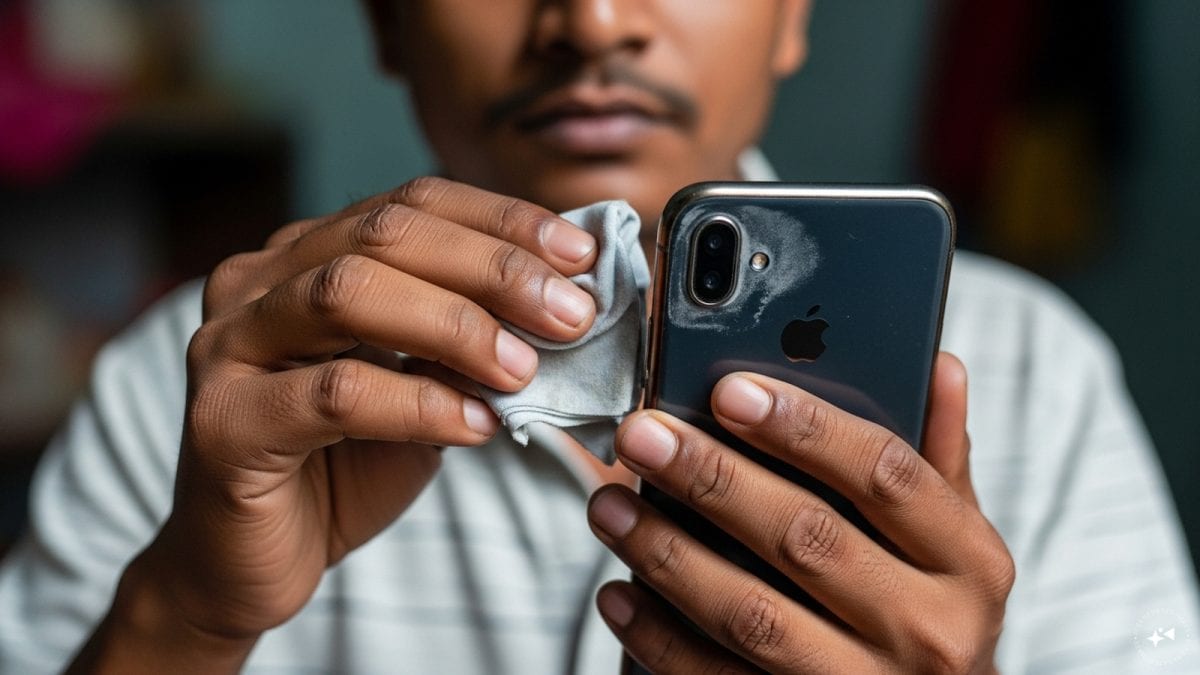
Wiping your phone camera with clothes may seem harmless, but it can cause tiny scratches and damage the lens coating. Here’s how to clean it the right way and avoid blurry photos
Honestly, I never gave a second thought to the little camera lens on the back of my phone. Whenever my hands got sweaty or I was out in a dusty market, the first thing I’d do was flick a piece of my t‑shirt over it, thinking I was doing a good job. It was just a habit, you know – quick, easy, and nobody told me it could be harmful.
Then, a few weeks ago, I noticed my Instagram pictures coming out a bit fuzzy, especially the night shots at the local tea stall. I tried adjusting the exposure, but the blur persisted. A friend pointed out that I might be scratching the lens without even seeing it. That’s when I started digging (pun intended) into why a simple wipe could be ruining my photos.
The science behind the lens coating
Most modern smartphones use a lens that’s not just plain glass. It’s coated with a thin, anti‑reflective layer that helps reduce glare and improves colour fidelity. This coating is super‑thin – think of it as a delicate film that can be easily marred by anything abrasive.
When you rub the lens with a cotton shirt, denim, or even a paper napkin, you’re basically using a material that, on a microscopic level, has tiny fibres or particles. Those particles act like sandpaper, leaving microscopic scratches that are invisible to the eye but interfere with light passing through the lens.
In most cases, the damage doesn’t show up as a big scratch you can see, but as a loss of sharpness, colour fringing, or a subtle haze that becomes more noticeable in low‑light or high‑contrast situations – exactly the kind of problems I was seeing in my night‑time snaps.
My own experiment – the ‘before and after’
To prove it to myself, I decided to conduct a little experiment. I took two identical phones – one that I’d been using for a year and the other brand new – and I deliberately wiped the older one’s camera with a regular cotton T‑shirt for a few minutes, mimicking my usual habit. Then I snapped the same scene – a busy street in Delhi with traffic lights and a vendor selling samosas – with both phones.
The difference was clear. The newer phone captured crisp details, the samosa’s oil glistened, and the street lights were sharp. The older phone’s picture looked a bit soft, the edges of the samosa were smeared, and the street lights looked like little halos. I even tried to zoom in on the older photo, only to see the scratches turning into blur spots.
This personal test made me realize that even tiny scratches can degrade image quality, sometimes only after weeks or months of “harmless” cleaning.
Why common cleaning methods go wrong
Let’s talk about the most common ways people try to clean their phone camera:
- Using a regular shirt or any piece of clothing – as mentioned, these have fibres that can scratch.
- Using paper towels or tissue – they’re rough and often contain tiny wood fibres.
- Rubbing vigorously – the more pressure you apply, the deeper any micro‑scratch can go.
- Using household cleaners like window spray or alcohol – these can strip the anti‑reflective coating altogether.
In many cases, people think they’re being thorough, but they are actually wearing down that protective layer bit by bit.
How to clean your camera the right way – step by step
Okay, so what should you actually do? Here’s the method that works for me and many tech enthusiasts I’ve spoken to:
- Gather the right tools: Get a clean, lint‑free microfiber cloth – the kind you use for glasses or camera lenses. If you have a tiny brush (like a soft makeup brush), keep it handy for dust.
- Turn off the phone: A quick power‑off prevents any accidental taps while you’re cleaning.
- Blow off loose dust: Use a gentle puff of air (or a small handheld blower) to push away loose particles. Do NOT use your breath directly; the moisture can leave spots.
- Apply a small amount of lens‑safe cleaner (optional): If there’s stubborn smudge, use a few drops of isopropyl alcohol (70% or less) on the cloth – never directly on the lens. Many people also use lens cleaning solution meant for cameras.
- Wipe gently in circular motions: With the microfiber cloth, lightly circle the lens from the centre outward. No pressure – just a light touch.
- Check for streaks: Look at the lens under a bright light. If you see any streaks, repeat the gentle wipe with a dry part of the cloth.
- Finish up: Power the phone back on and take a quick test shot to see if the image looks clear.
That’s it. It takes less than two minutes, and you won’t risk scratching the coating.
Practical tips for everyday use
Even after you clean it properly, the camera can still get dirty during daily life. Here are a few habits I’ve adopted:
- Keep a small microfiber cloth in your bag – it’s handy when you’re out at the market or at a wedding.
- Avoid putting your phone face‑down on rough surfaces. I now use a soft cloth or a dedicated phone stand.
- If you’re wearing a mask with a strap that touches the camera, wipe it off gently after removing the mask.
- Don’t share your phone with people who might have greasy fingertips – a quick wipe before and after can help.
These tiny adjustments make a big difference over months and years.
When to seek professional help
Sometimes, despite our best efforts, the lens gets a deeper scratch – perhaps from a fall or using a very rough cloth. In those cases, the only fix is a professional replacement or repair. Most phone service centres can replace the camera module, though it might be pricey. If you notice persistent haziness that doesn’t go away after cleaning, it’s time to get it checked.
Wrapping up – a simple habit that saves you money and memories
All in all, this habit of rubbing the camera with a regular cloth is something many of us do without thinking. But as I’ve learned through my own blurry photos, it can lead to tiny, invisible scratches that degrade image quality over time. By using a microfiber cloth, applying gentle circular motions, and avoiding harsh chemicals, you can keep that little lens sparkling and ensure your photos stay as sharp as the day you bought the phone.
So next time you’re about to give your camera a quick swipe, pause for a second, grab a proper cleaning cloth, and treat that lens with a little love. Your future self – and your Instagram followers – will thank you.